Plan your garden.
Grow it successfully.
Tell us about your space and who you grow for. GrowDraft draws a garden that fits, and shows you what to plant, where and when.
Next: a few quick questions about your space and who you grow for. Then GrowDraft shows you a garden that fits. Free, no sign-up needed.

The sun where the garden is, on a July day. Path lights and the fire pit come on at dusk. Stills captured in the GrowDraft planner, Family Garden starter, 16 × 12 m.
Maria's 16 × 12 m backyard, from an empty lawn to a full plate.
This is a made-up example, but every picture below is a real capture of the same starter garden GrowDraft ships, shown through the months.
- March
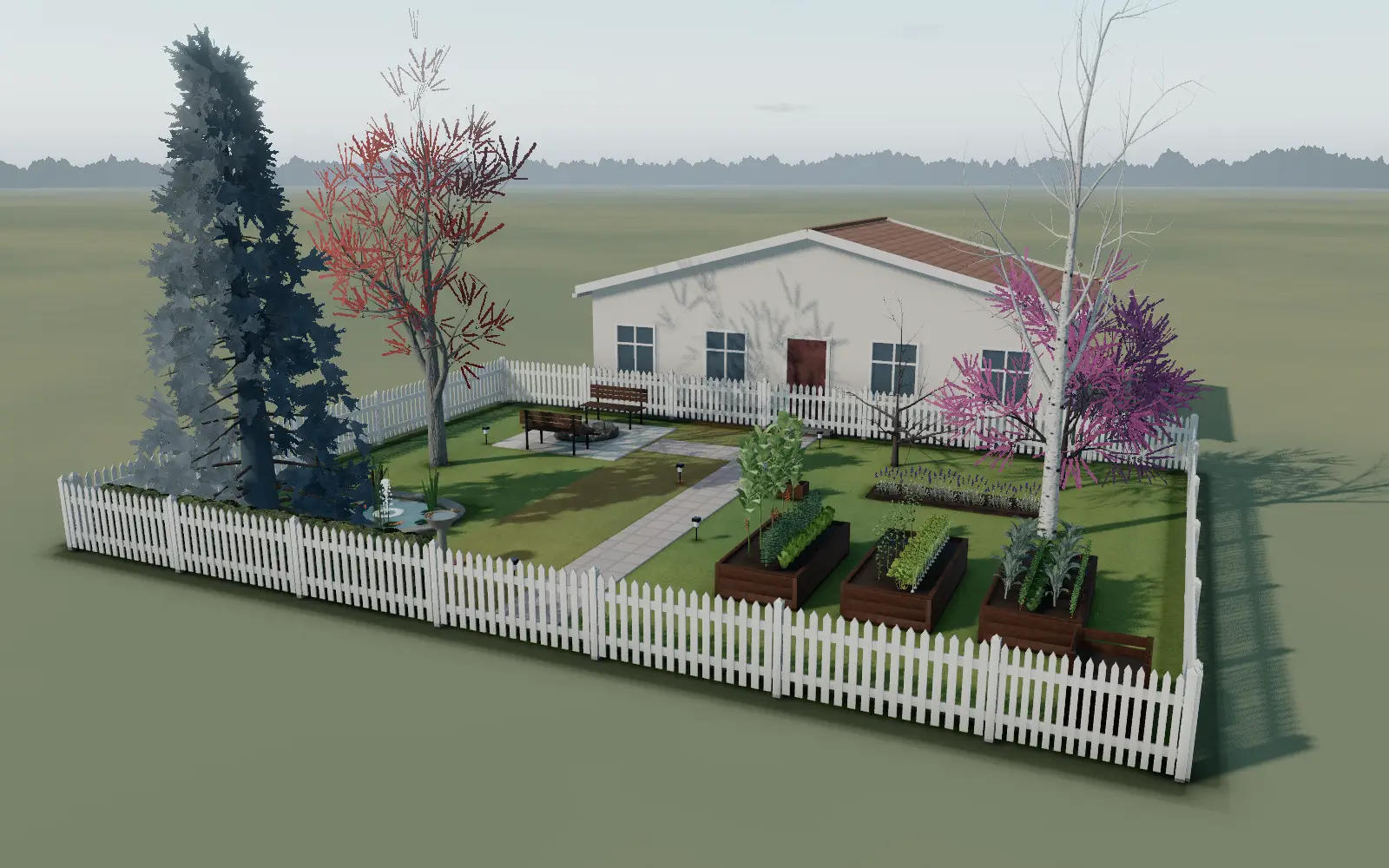
GrowDraft designs it.
Maria's backyard is 16 × 12 m, behind the house. She starts from a photo of the yard, and GrowDraft lays out beds, a patio and paths around her five trees.
- April
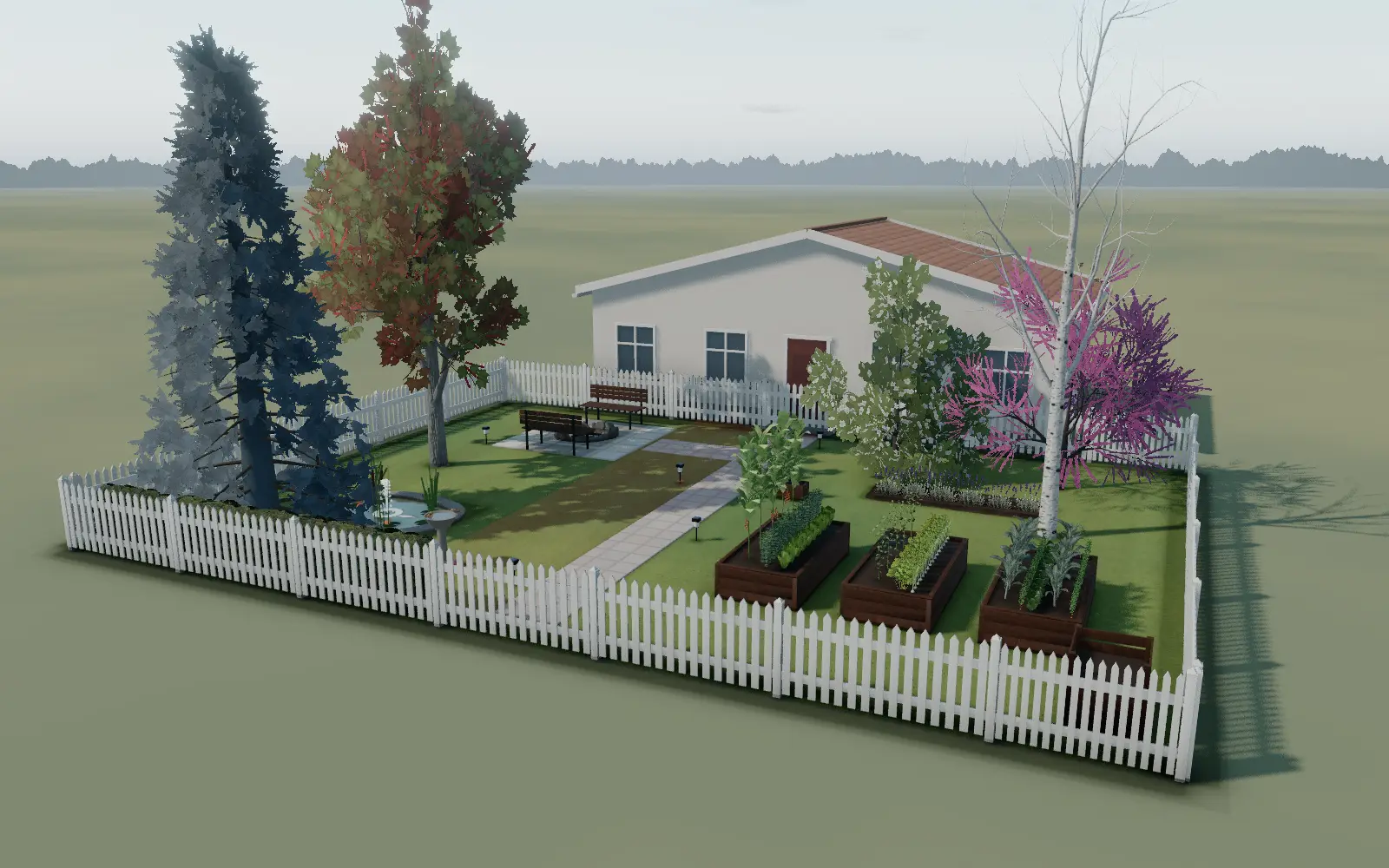
It tells her what to plant.
Sowing dates set by her own frost dates, and how many tomato, bean and lettuce plants her three vegetable beds can hold.
- June
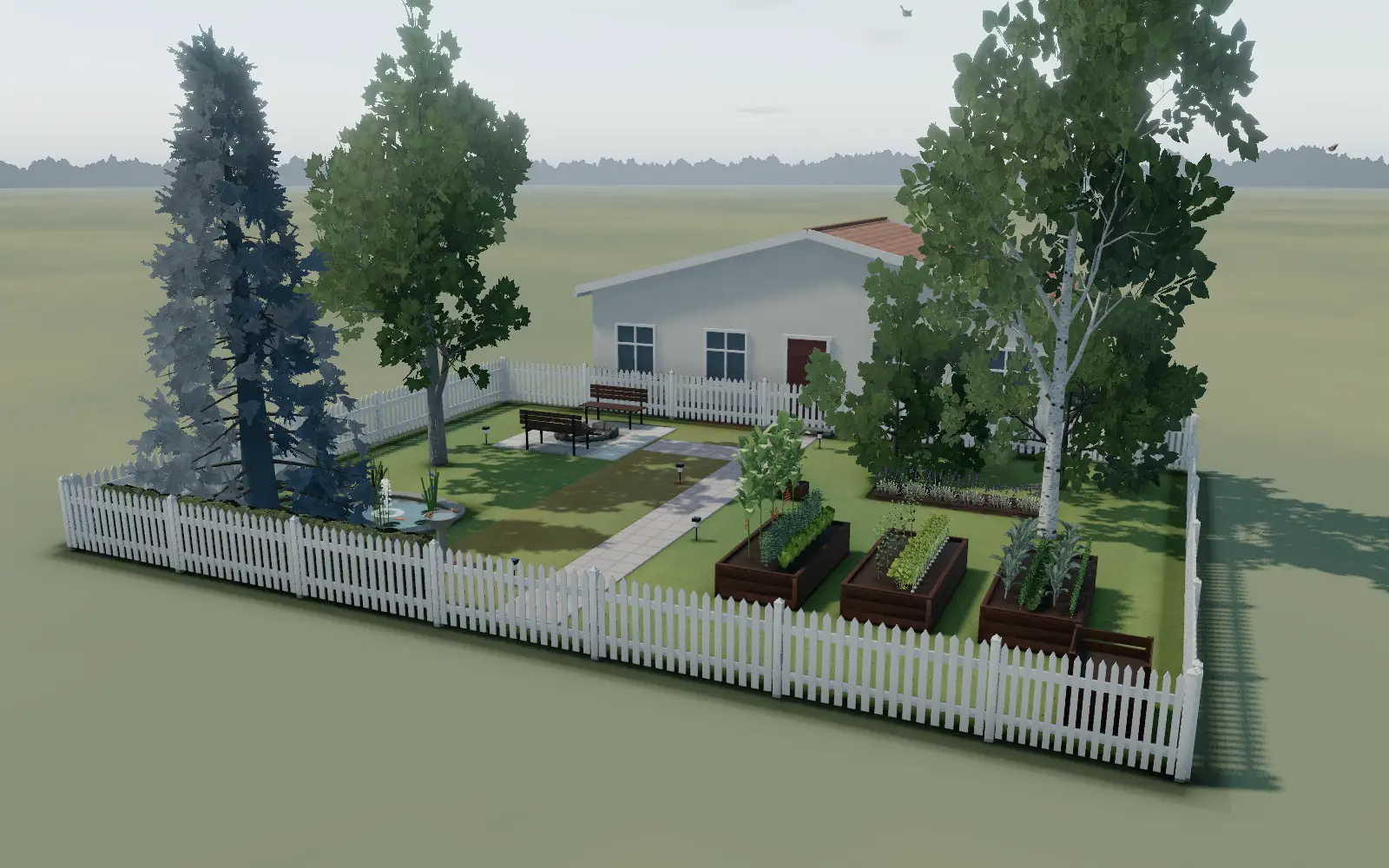
It catches a tomato problem.
Pick what you see on the leaves and get a likely cause and what to do before it spreads. Photo diagnosis is coming soon.Coming
- July
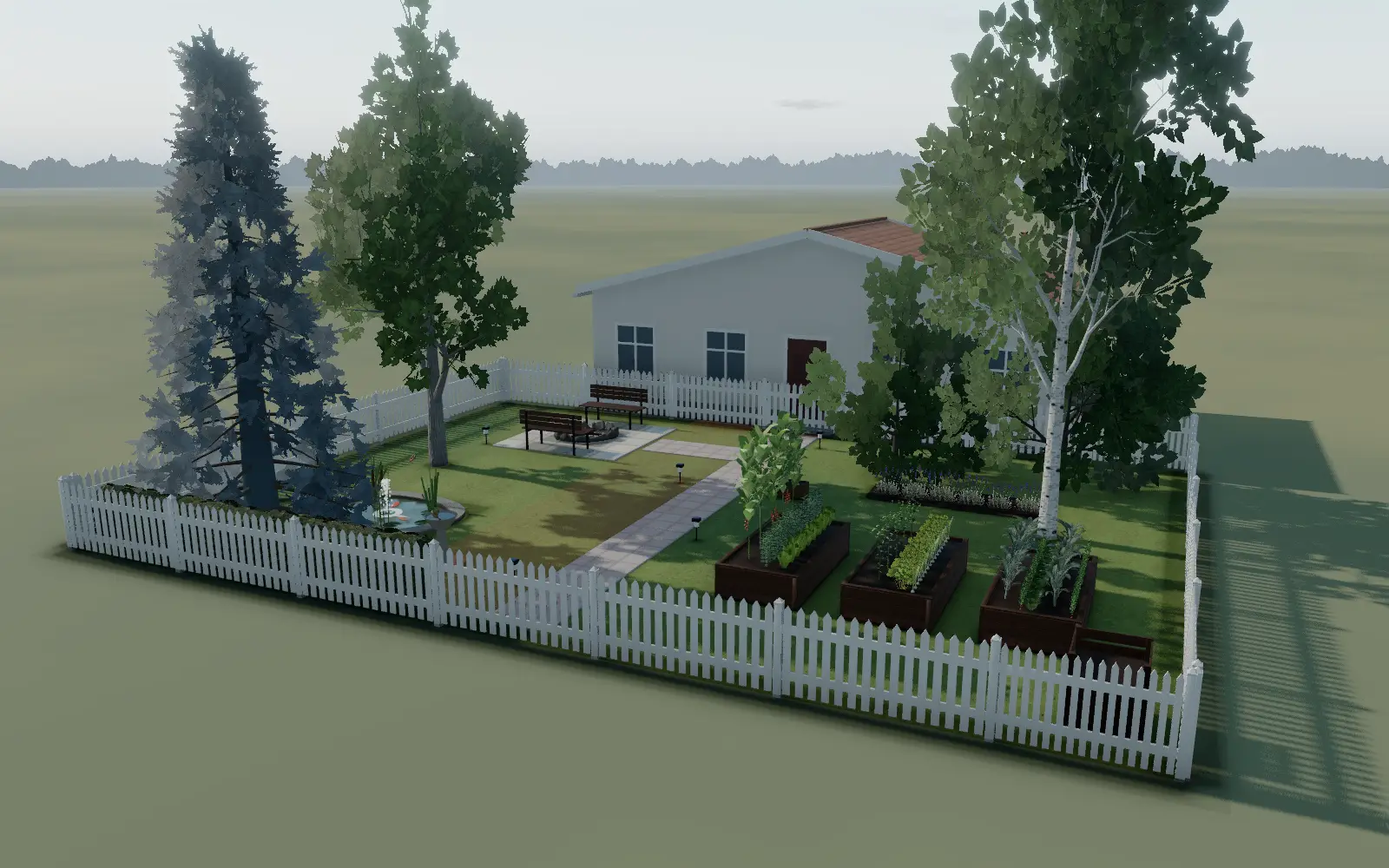
The harvest comes in.
First tomatoes, beans and lettuce: about 11.8 kg so far this season, an example weight.Coming
- September
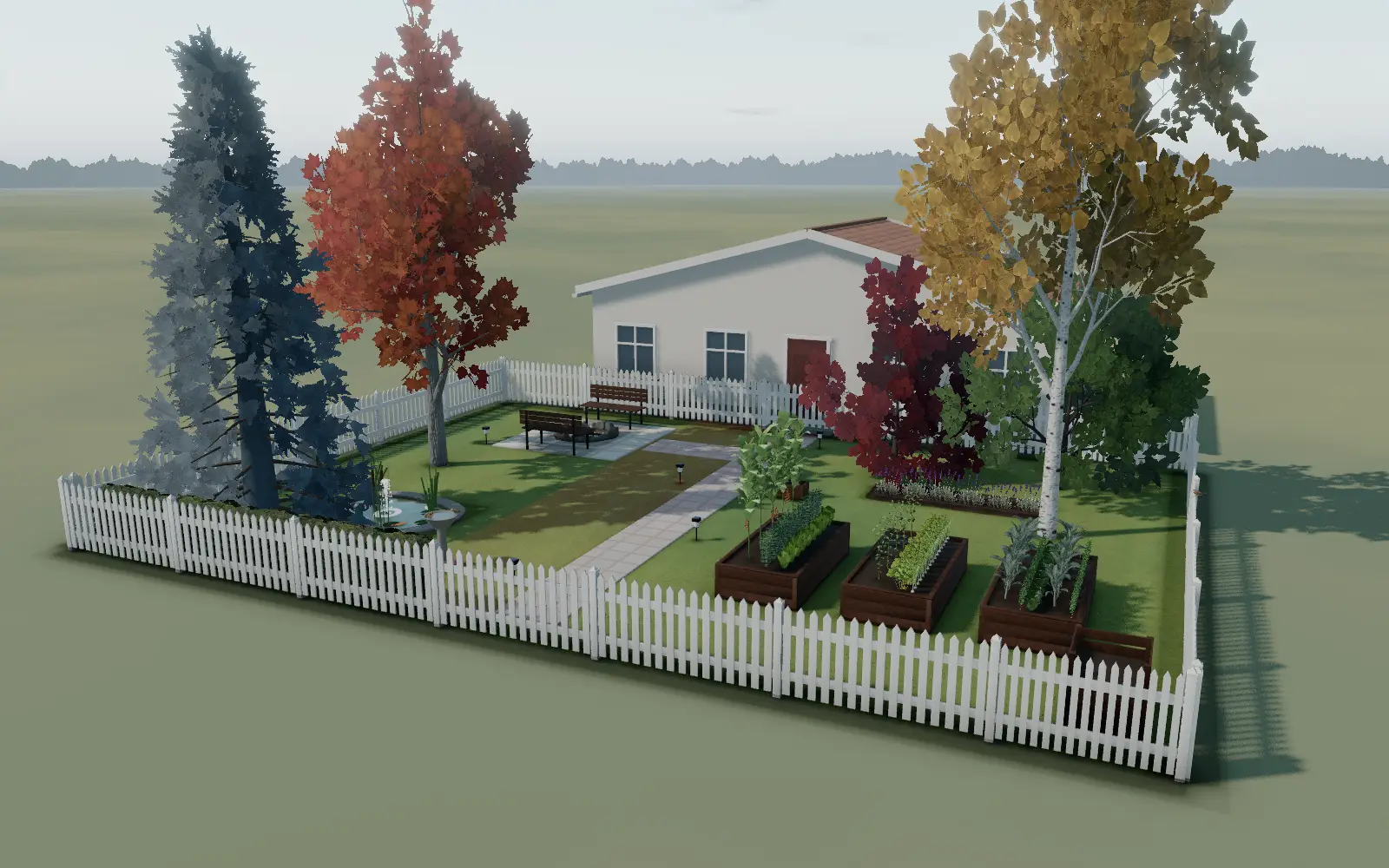
GrowDraft replans the fall crops.
A fresh plan for cool-season crops in the same beds, ready before the first frost.Coming


What happens when you start
- Step 1Tell us about your spaceWhere it will grow, how many people eat from it, what you like, and how much time you have. A couple of minutes.
- Step 2See a garden that fitsGrowDraft fits your crops into beds with honest numbers. Move, swap or resize anything.
- Step 3Plant and follow the planSowing times, sun and shade, and a shopping list. Help with daily care comes with the Vegardi phone app.

See what your garden could become.
Start from the space you really have. GrowDraft shows it to you at its real size, so you can try ideas before you dig.
- Start from a photo of your yard, a drawing on paper, or your plot on a map.
- Open a finished garden for your kind of space, then change anything you like.
- A backyard, a balcony, a rooftop or an indoor grow room. Soil or hydroponics, whichever suits you.

Know exactly what to grow, where and when.
Tell GrowDraft who you grow for and what you like to eat. It works out how much of each crop to plant and where it fits.
- How many plants of each crop, sized for the people you feed.
- Sowing times set by your own frost dates, from daily climate records since 2000.
- Sun and shade on every bed, through the day and through the year.
- A plan you can print, and a shopping list of what the plan needs.

A few minutes of clear help each day.
Once it is planted, the work is small and regular: water, feed, check. You should always know what today asks of you.
- Your local weather, live in your plan.
- A short list of what to do today, with reminders.Coming with the Vegardi phone app
- Today’s steps inside GrowDraft, from the same plan.Coming
Vegardi is our sister app for your phone. Linking your GrowDraft garden to it is being built; see how they fit together.

Fix problems and get to harvest.
Things go wrong in every garden. The aim is to catch them early and still pick your food.
- When to expect the first picking of each crop in your plan.
- Photo diagnosis of a sick plant is on its way. For now you pick what you see and get a likely cause.Coming
- Record what you pick, and plan a better garden next season.Coming
How GrowDraft gets the plan right.
The 3D view, real sunlight and weather, and every object at its real size are how GrowDraft checks that a plan fits your space. Everything shown here works in the planner today.

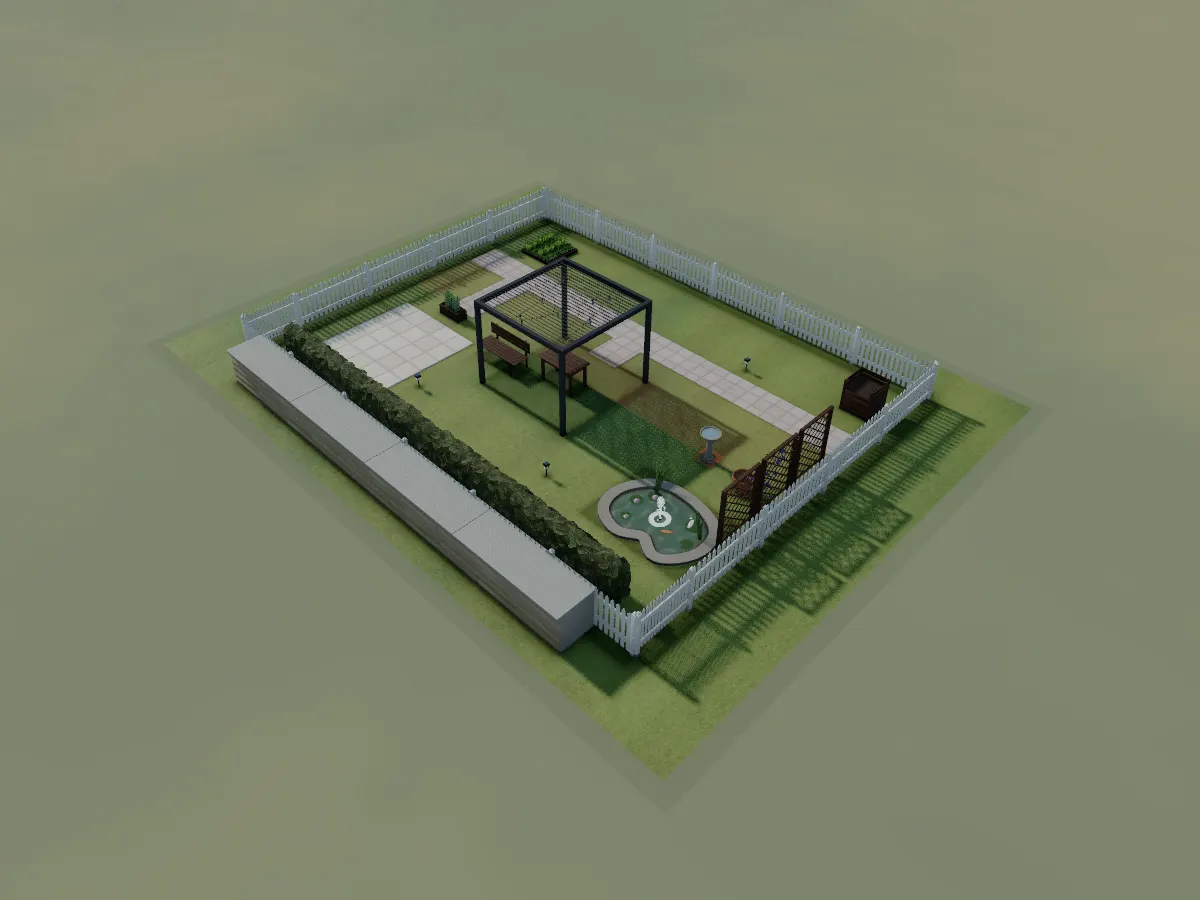
Design any space
Beds, hardscaping, structures and your plot's real outline, to the centimetre.
- Raised beds, ground beds, planters and pots
- Patios, decks, paths, fences, hedges and walls with gates
- Greenhouses, sheds and pergolas you can step inside
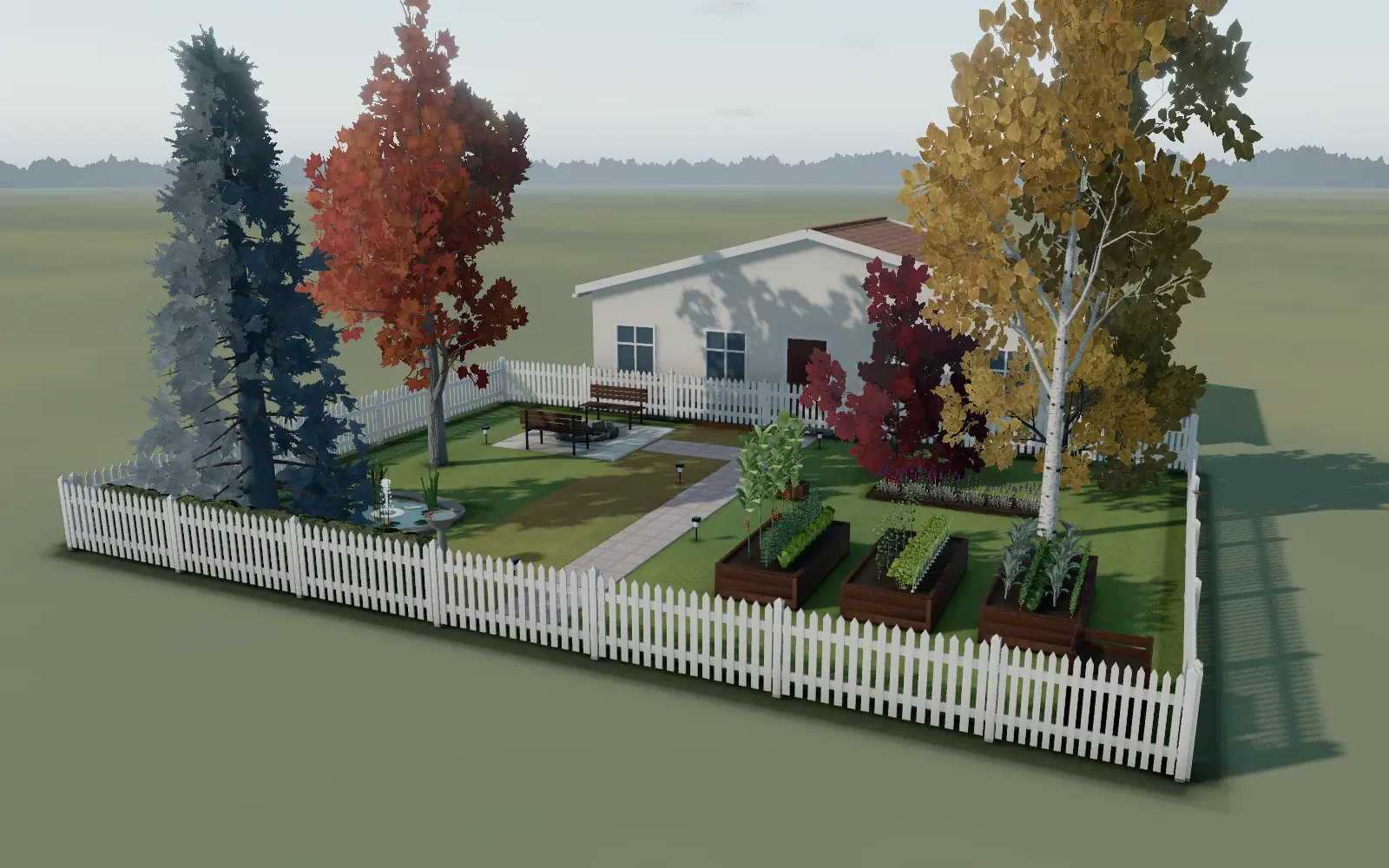
Plants & trees that change
Real plants and trees with a calendar, not static props.
- 95 garden plants; 34 tree species, 24 of them North American natives
- A tree age control from 1 to 40 years; trees are drawn, and cast shade, at that size
- Climbing plants on trellises and pergolas; houseplants that grow in their pots month by month
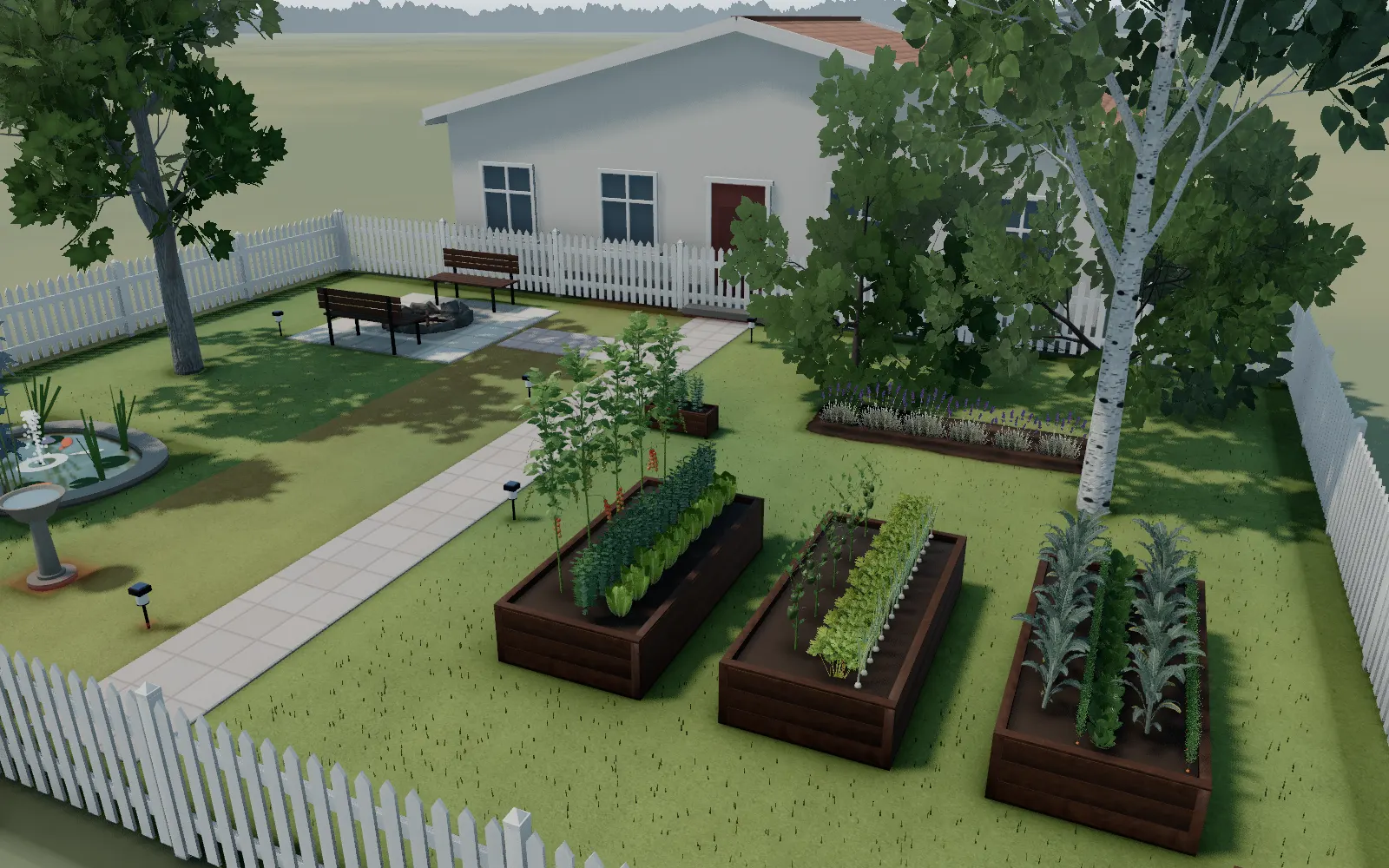
Water, light & the calendar
Real sun and shade, day into night, and the water that needs both.
- Hours of direct sun from your real latitude, blocked by your own house and trees
- Ponds, pools, sprinklers and irrigation zones
- Path lights and fire pits that light themselves at dusk; frost dates from NASA POWER since 2000
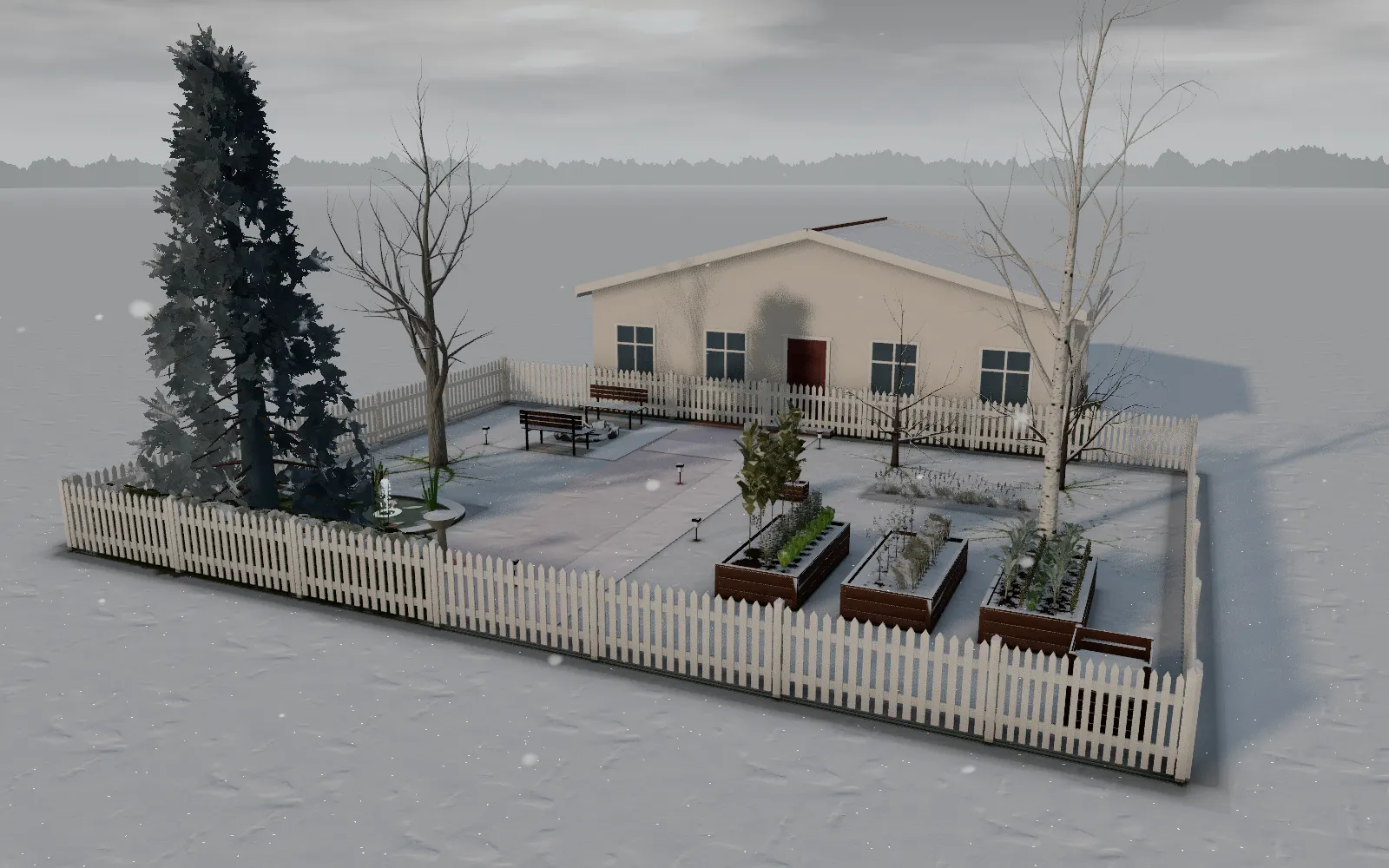
Wildlife & weather
Birds visit through the day; snow, rain and frost mark the seasons.
- 18 bird species, matched to your region and the season
- Snow, rain, hail and frost damage on plants and surfaces
- A rainbow after rain, when the sun is at the right angle
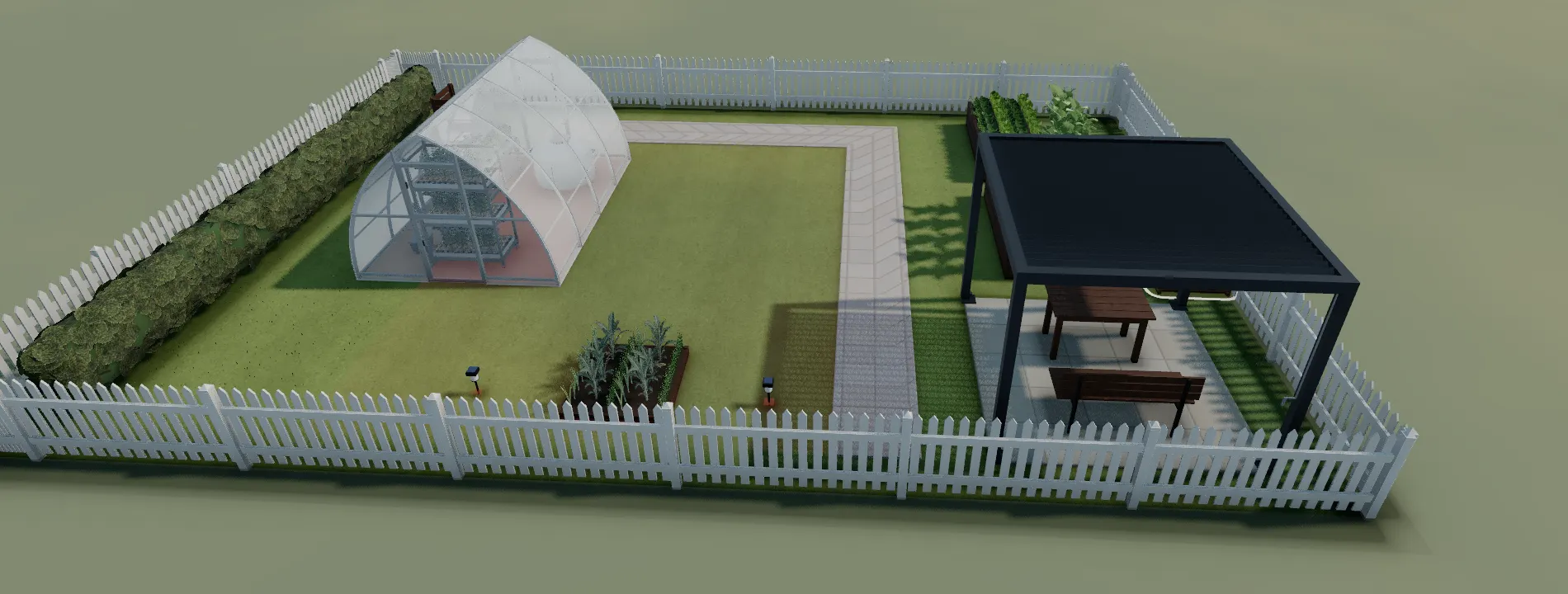
Real products, not props
Structures and equipment sized like the real things you could buy.
- Dimensionally accurate pergolas and fire pits from our own catalogue
- Grow-light and equipment specs read from real published data
- A shopping list built from what you placed; printable garden plans in the shop
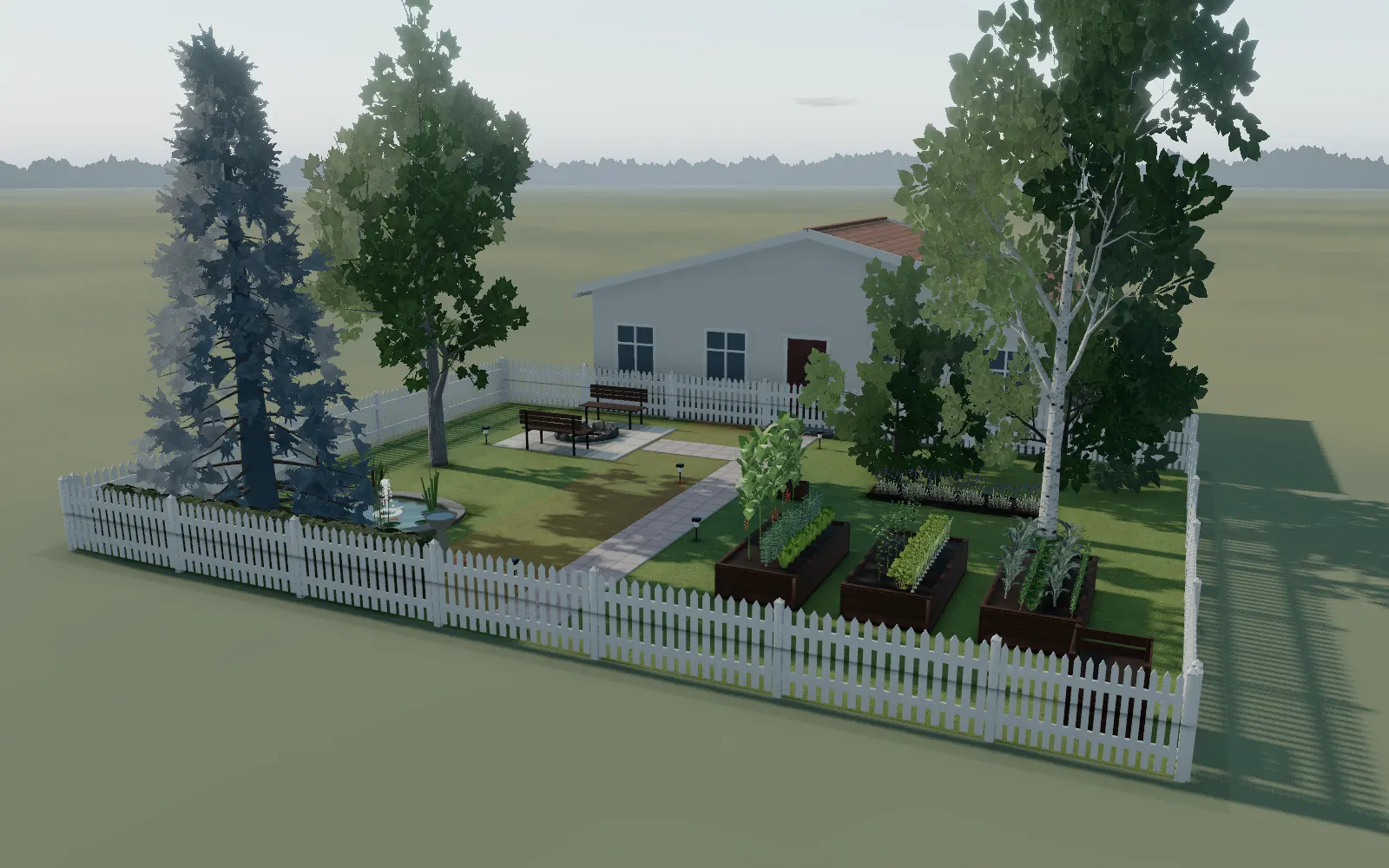
See it before you dig
3D, a clean 2D plan, eye level, and a photo render of the finished look.
- 3D view, 2D plan (fill or blueprint), first-person walk mode
- GrowDraft renders a photo of any view, within the daily allowance
- Coming soon: one timeline that runs time of day, month and tree growth together
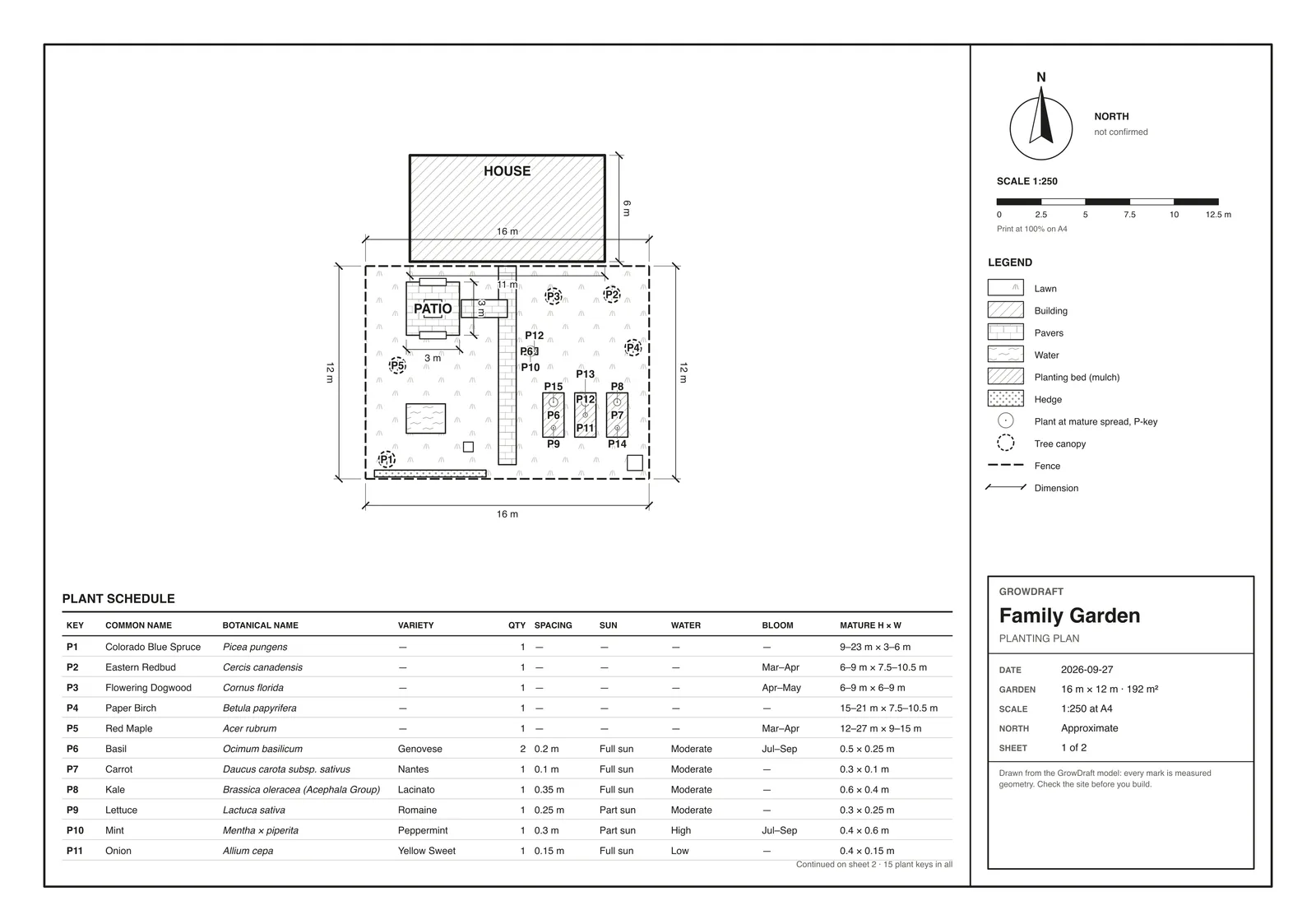
Plan sheet & sharing
Take the plan off the screen, or hand it to someone else.
- A scaled plan sheet as PDF, SVG or PNG, made on your device, no watermark
- Autosave in the browser; cloud save and read-only share links with a free account
- A project file you can export and re-import any time


Start from what you already have.
Photograph a plan you drew on paper and GrowDraft reads the shapes and the handwriting, then turns each one into something you can move and resize. It shows you what it read first, so you fix a mistake before it becomes part of the garden.
No sketch? Start from a photo of your yard, trace your plot over satellite imagery of your address, or open a planted starter.
The four ways in, step by step

A photo of a garden you have not planted yet.
Pick a view and ask for a photo. GrowDraft captures that view and asks an image model to make it look photographed, keeping your layout.
It is an illustration, not a survey: plant textures and small details are the model’s own. Build from the plan.


Plan here. Grow there.
A planned link to Vegardi, our sister grow app: plan a bed in GrowDraft, then hand it off for care tasks, reminders, Plant Doctor diagnoses and grow tracking. Nothing is connected yet: this is a plan, not a feature.
Free to plan, during early access.
Designing and planning in GrowDraft is free today, with no account. Yard scans, sketch reading and photo renders share a daily allowance (6 a day, 30 with a free account) because each one costs us to run. A free account also gets you cloud saving across devices, share links, and will be what any future premium features sit behind.
What is free, in fullComing soon
- Premium features
- Paid, more advanced features behind a free account. Nothing is priced or built yet: this page will say exactly what they include, and what they cost, before anyone is asked to pay.
- Time travel
- A play button that runs your garden forward on one timeline: seasons roll, trees and shrubs grow toward full size, and the shade over your beds changes year by year. Today the pieces are separate controls, the ones in the tiles above.
Or open a garden that is already planted.
Each starter opens in the planner as your own copy, ready to change. Nothing to set up first.
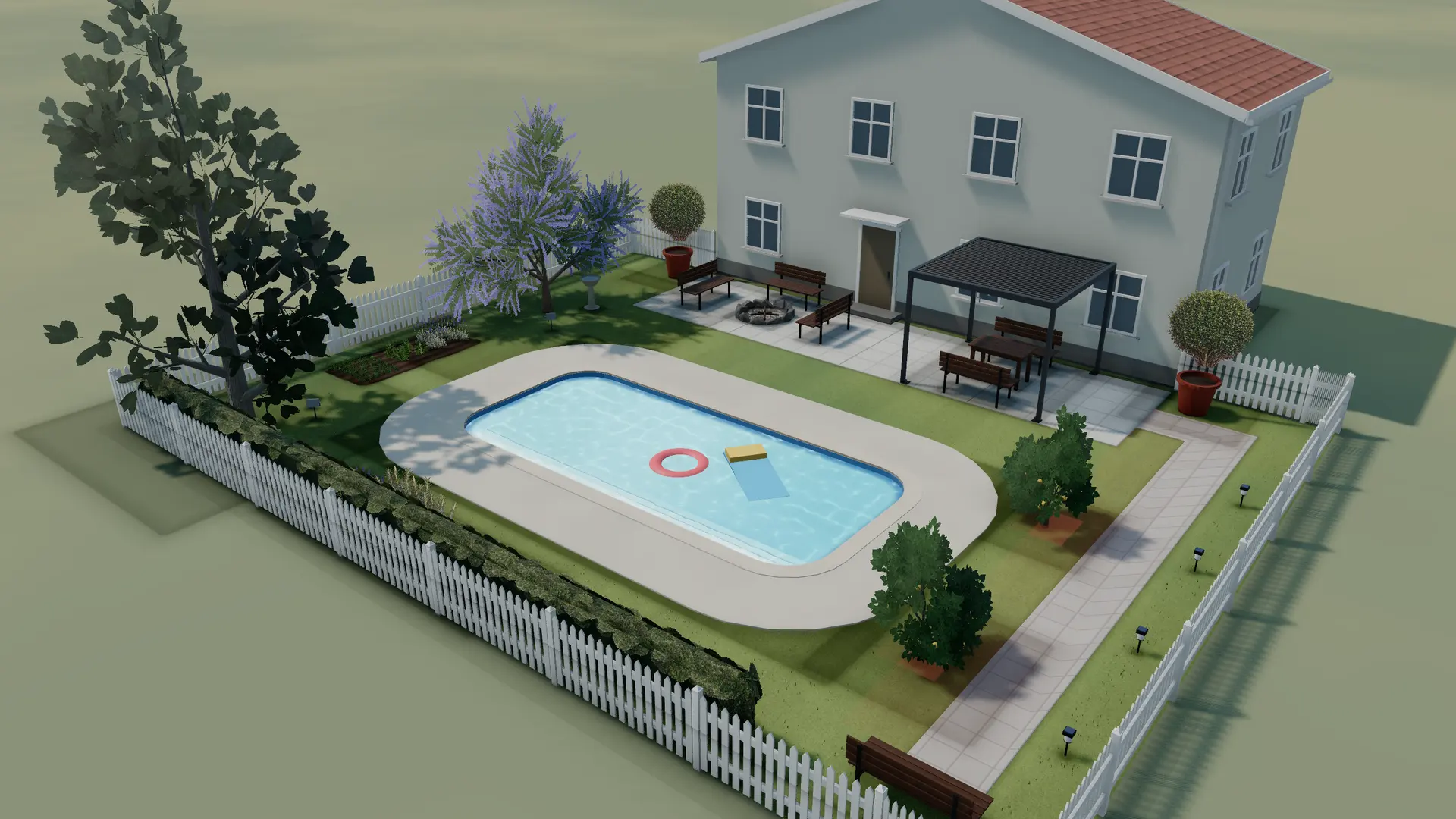
18 × 14 m
Pool & Terrace GardenOpen18 × 14 m garden behind the house: an 8 × 3.6 m pool with a stone deck, a paved terrace with a fire-pit lounge and a dining pergola under string lights, citrus trees, a jacaranda and a magnolia, and a lit path to a corner bench.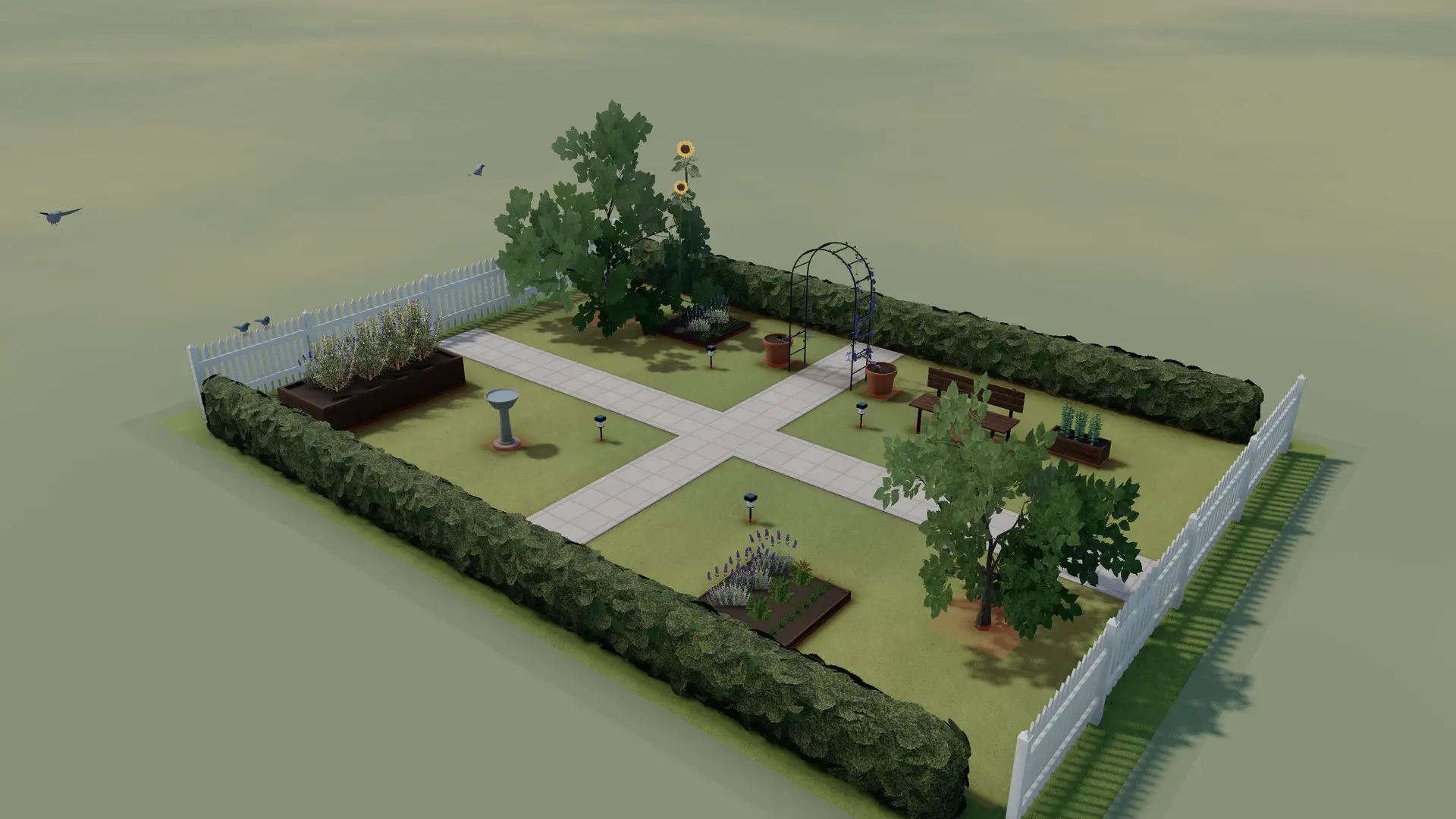
14 × 10 m
Cottage GardenOpen14 × 10 m cottage garden: crossing paths under a clematis arch, borders of lavender, sage and herbs, a flowering dogwood and an apple tree, a bench, a birdbath and soft hedges between wooden fences.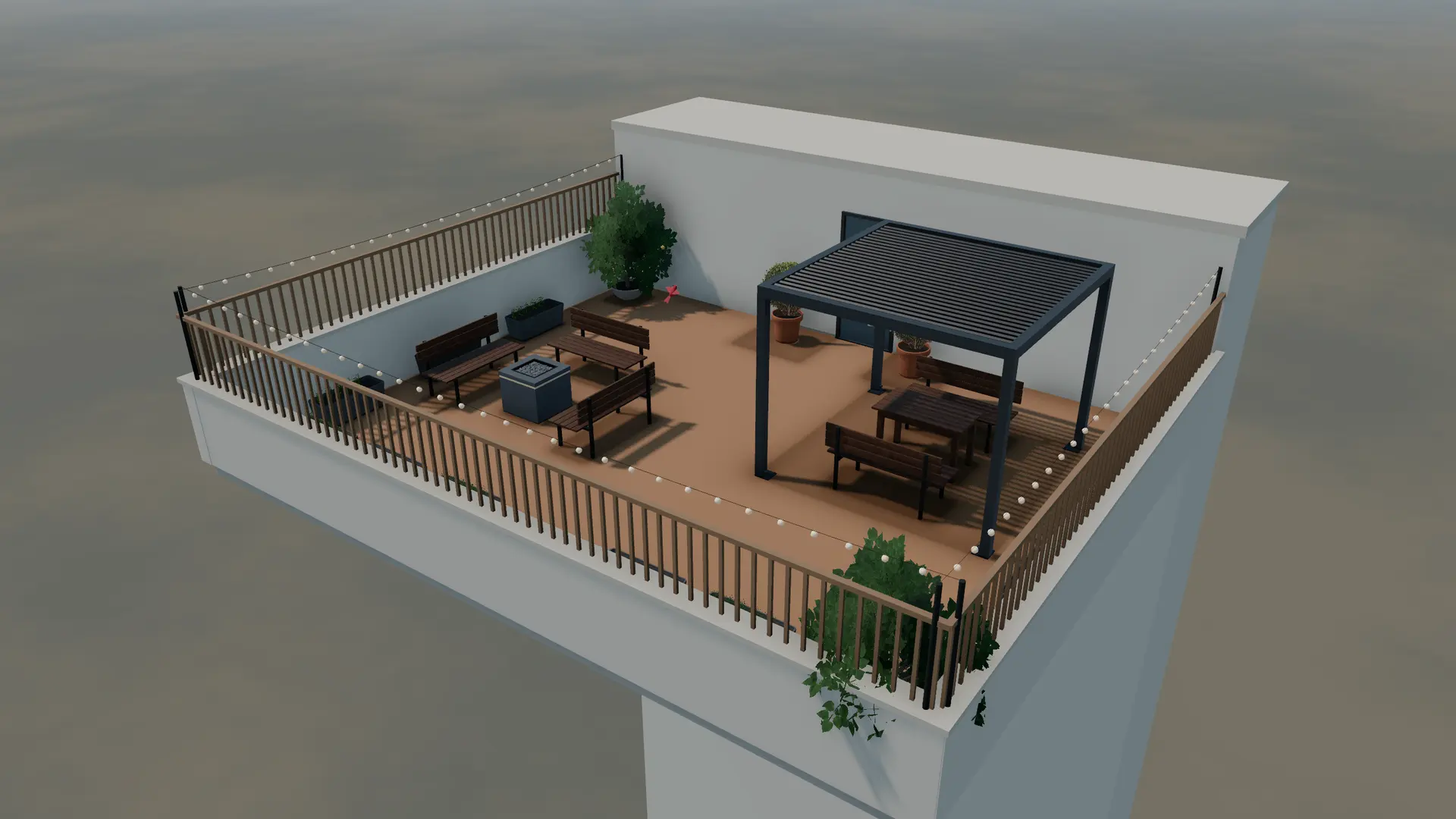
10 × 8 m
Rooftop TerraceOpen10 × 8 m roof terrace above the city: a louvred pergola over a dining table, a fire-pit lounge, troughs of chives, thyme and strawberries along the parapet, potted lemon trees and clipped boxwood, privacy screens and string lights round the edge.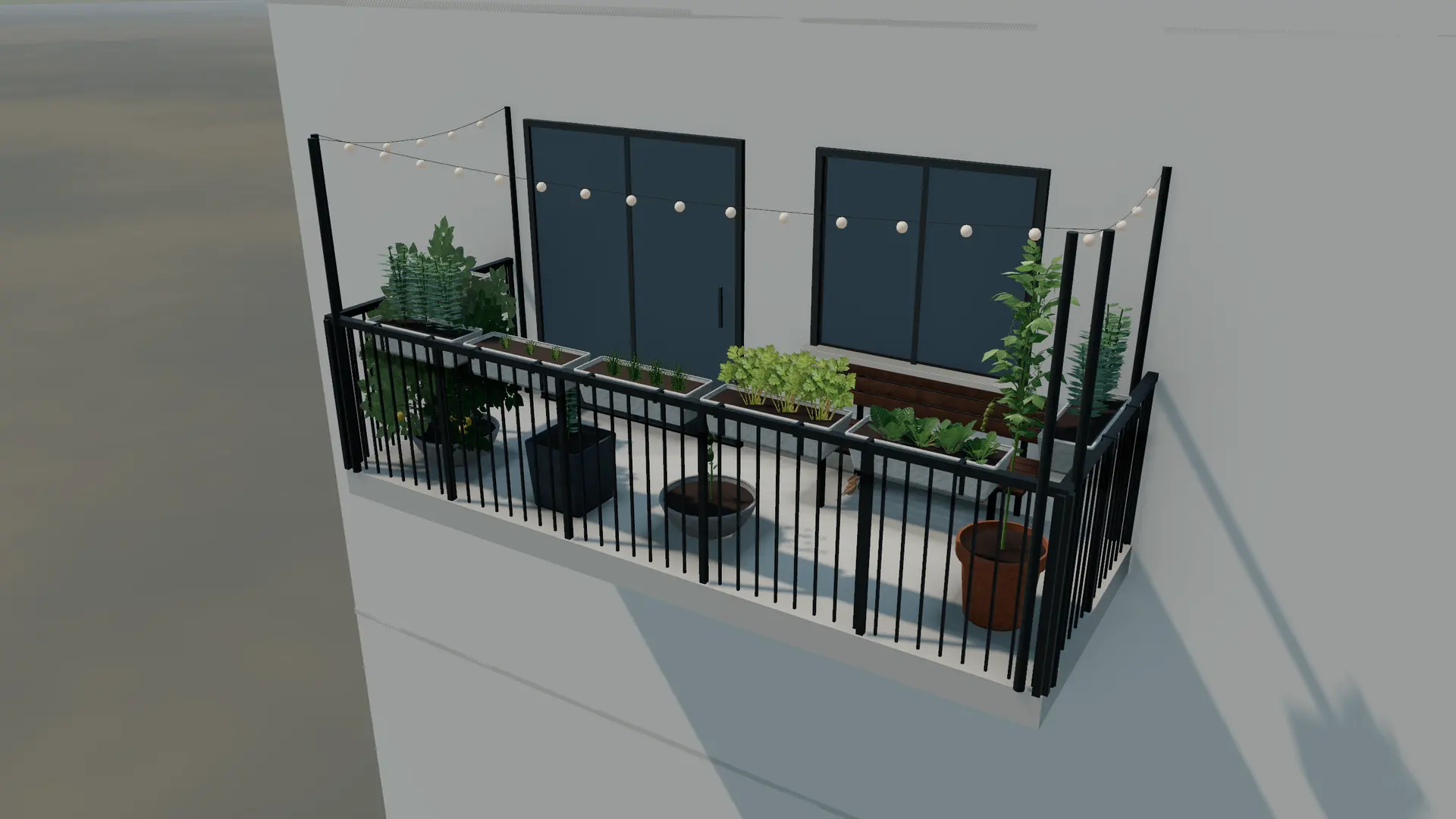
5 × 1.8 m
Sunny BalconyOpen5 × 1.8 m open top-floor balcony in full sun: railing planters of basil, thyme, chives, parsley and salad leaves on three sides, a cherry tomato and peppers in pots, a lemon tree and a bench under the window.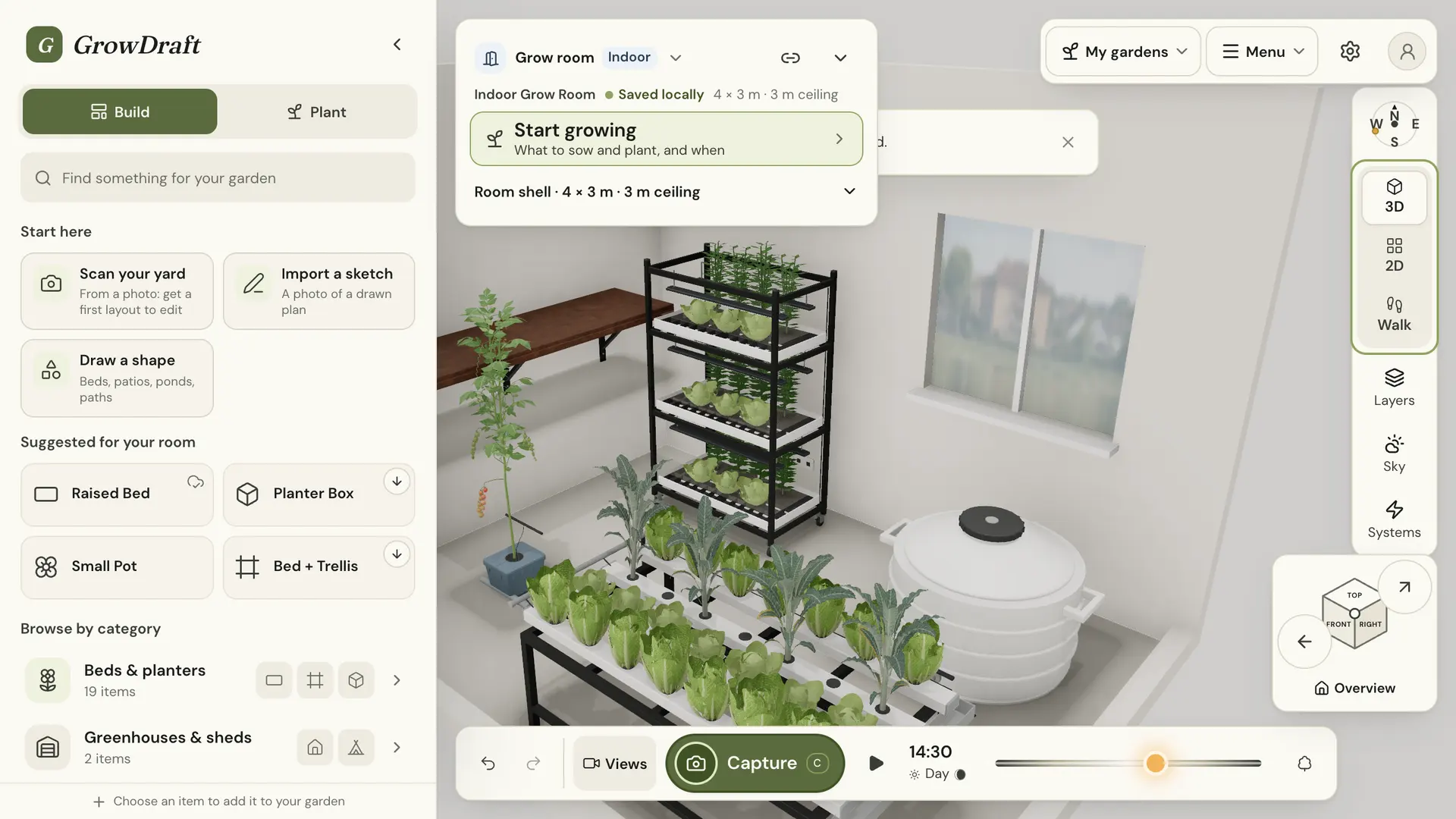
4 × 3 m
Indoor Grow RoomOpen4 × 3 m grow room with a 3 m ceiling: a lit plant rack, a hydroponic channel table, a tomato bucket, a water tank, a wall shelf and two grow lights, with a door, a window and two power points.


